The Managed app

See what you get

Managed is the place you go to see site health, open a ticket, follow work that's already under way, and ask for a badge. The screenshots below are from the real app, using a test account.

Screenshot
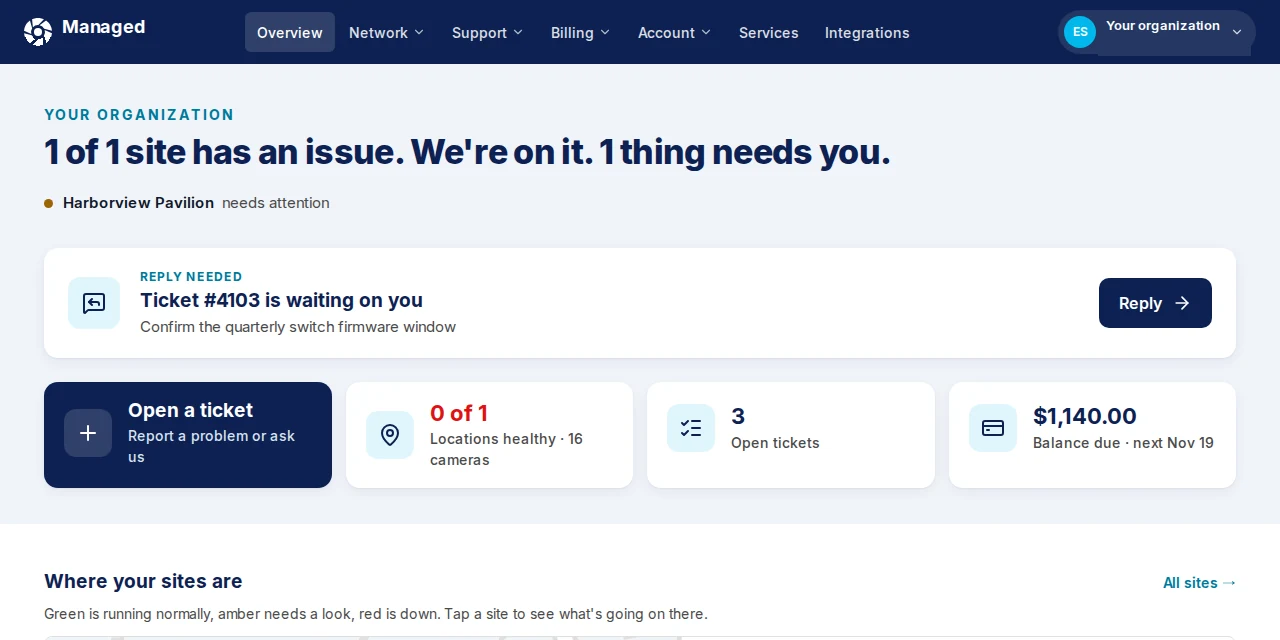
Screenshot of the Managed app showing the organization overview for Harborview Pavilion, with a site that needs attention and a ticket waiting for a reply.
Screenshot: site health overview
Health

See which sites need a look

The overview shows whether a site needs attention, and whether work is already under way. If something needs a reply from you, that sits at the top.
Screenshot
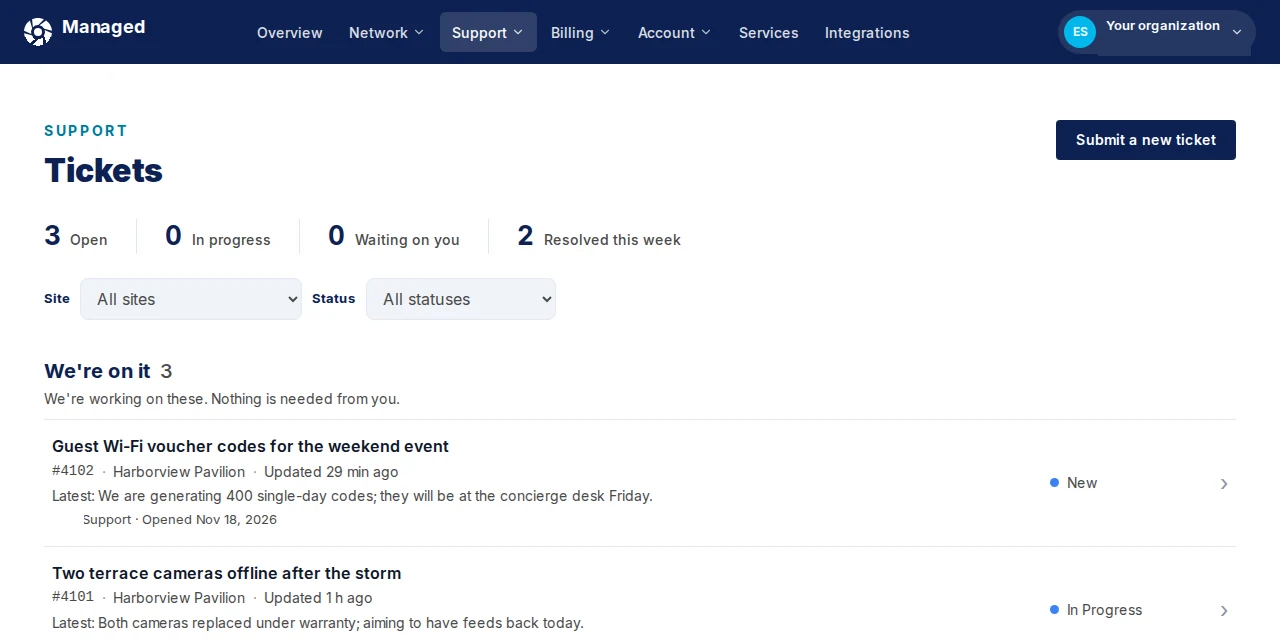
Screenshot of the Managed app showing the tickets list, including a We're on it group of open work at Harborview Pavilion.
Screenshot: tickets and open work
Tickets

Open work, in plain language

Tickets are listed with a short status, so you can see what's being handled without a call. You can also submit a new ticket from the same page.

Screenshot
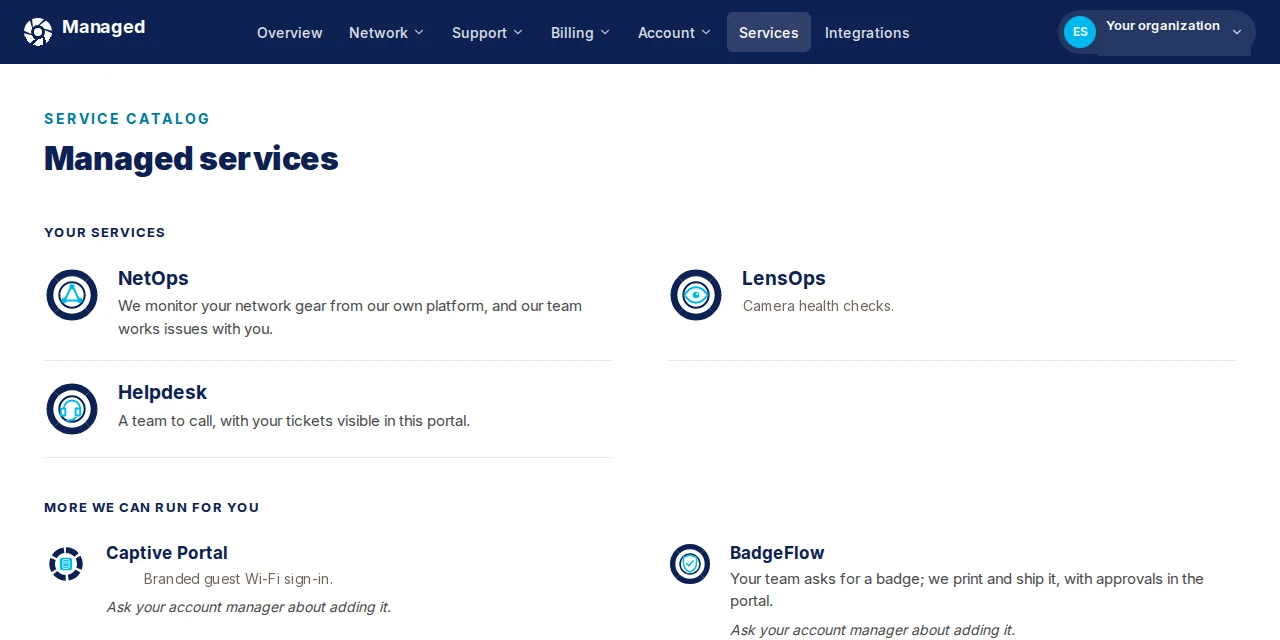
Screenshot of the Managed app showing the services catalog, with NetOps, LensOps and Helpdesk on the account, and Captive Portal and BadgeFlow listed as services that can be added.
Screenshot: services catalog
Services

The services on your account

The catalog lists the services on the account, such as NetOps, LensOps and Helpdesk. Captive Portal and BadgeFlow show up under more we can run for you, with a note to ask about adding them.

Screenshot
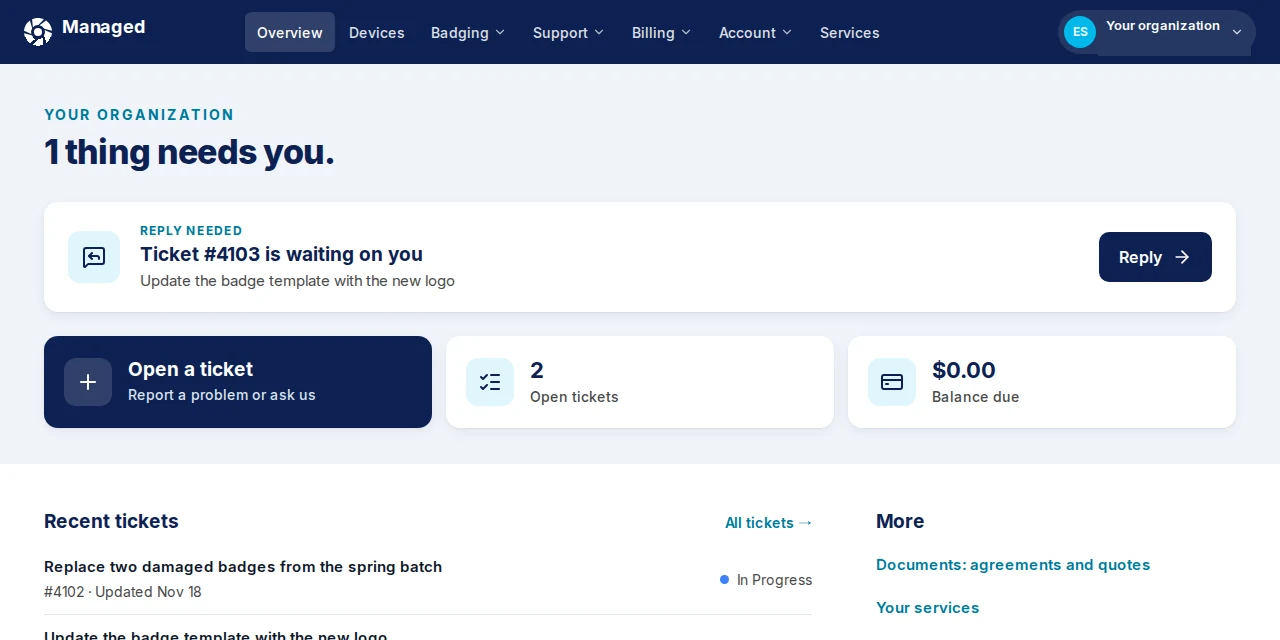
Screenshot of the Managed app showing the home for a badging customer, with a badge template ticket waiting for a reply and recent badge work.
Screenshot: badging home
Badging

Badge requests sit with the rest of the work

Badge requests and template updates show up as tickets in the same place. You can reply or open a new request without leaving the app.

If you run the sites, talk with us. If you install or resell, see the partner path.